
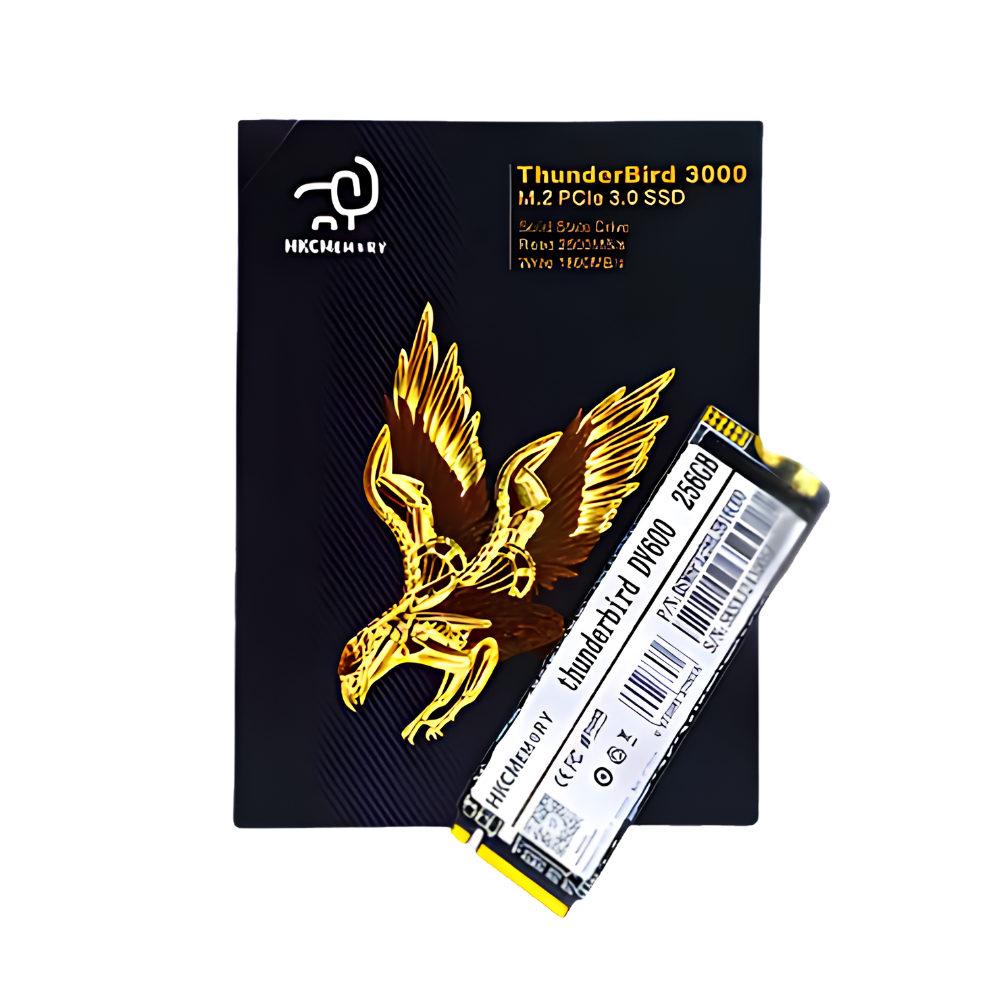
Description of HKC ThunderBird DV600 M.2 NVMe PCIe 3.0 SSD | 256GB–1TB
 OVERVIEW
The HKC ThunderBird DV600 is an M.2 2280 NVMe PCIe Gen3 x4 solid state drive built for users who demand serious speed. With read speeds up to 2400MB/s and a razor-thin 2.35mm profile, it is an ideal upgrade for laptops, desktops, 2-in-1 PCs, all-in-one machines, and tablets that require fast, dependable storage.
WHAT’S IN THE BOX
- 1x HKC ThunderBird DV600 M.2 NVMe PCIe 3.0 SSD
FEATURES
Blazing Boot and Load Times:
Dramatically faster startups and application launches versus SATA and HDD storage
Ideal for Gaming and Creative Work:
High sequential throughput handles large files, game loads, and media workflows smoothly
Secure Data Protection:
AES 256-bit encryption and firmware backup keep your data safe at all times
Silent and Power-Efficient:
No moving parts means zero noise and minimal power draw during operation
Wide Device Compatibility:
Works with laptops, desktops, all-in-one PCs, 2-in-1s, and tablets with M.2 NVMe slots
SPECIFICATIONS
Storage
- Capacity: 256GB, 512GB, 1TB
- NAND Flash: TLC
- Sequential Read: Up to 2400MB/s
- Sequential Write: Up to 2000MB/s
- Maximum Channels: 4
Interface & Compatibility
- Interface: PCIe Gen3 x4
- Protocol: NVMe 1.3
- Form Factor: M.2 2280
- Application: Laptop, Desktop, 2-in-1 PC, All-in-One, Tablet
Security & Management
- Encryption: AES 256-Bit Hardware Encryption
- Health Monitoring: S.M.A.R.T Support
- TRIM Support: Yes
- Wear Levelling: Yes
- Garbage Collection: Yes
- Firmware Backup: Yes
- External Cache: Not Supported
- Temperature Sensing: Supported
Physical
- Dimensions: 80 x 22 x 2.35mm
- Design: Single-Sided
- Maximum Power Consumption: 4.38W (3.3V x 1.33A)
Reliability
- MTBF: Over 2,000,000 Hours
Environment
- Operating Temperature: 0°C to 70°C
- Storage Temperature: -40°C to 85°C
FREQUENTLY ASKED QUESTIONS
- Is the HKC ThunderBird DV600 compatible with my laptop or desktop?
Yes, as long as your device has an M.2 slot that supports NVMe PCIe. It is not compatible with M.2 SATA-only slots. - What is the difference between NVMe and SATA SSD?
NVMe uses the PCIe interface and is far faster than SATA. The DV600 reaches up to 2400MB/s read speed, while SATA SSDs are typically capped around 550MB/s. - How do I know if my device supports NVMe?
Check your laptop or motherboard manual for M.2 slot specifications. It should list PCIe or NVMe support. If it only mentions SATA, the DV600 will not be compatible. - Is my data secure on the DV600?
Yes. The DV600 features AES 256-bit hardware encryption and firmware backup to protect your data at the hardware level. - Do I need to reinstall my OS after installing the DV600?
Not necessarily. You can clone your existing drive using free cloning software, or perform a fresh OS installation for optimal performance. - What capacity should I choose?
256GB is suitable for OS and everyday apps. Choose 512GB or 1TB if you store games, videos, or large project files. - Does the DV600 require any special drivers or software?
No. It works with built-in NVMe drivers on Windows, Linux, and other supported operating systems with no additional software needed. - Will this SSD noticeably improve my system’s performance?
Yes. Upgrading to the DV600 from an HDD or SATA SSD delivers dramatically faster boot times, file transfers, and overall system responsiveness. - How reliable is the DV600 over time?
The DV600 is rated with an MTBF of over 2 million hours and includes wear levelling, LDPC error correction, and dynamic bad block management to ensure long-term stability.
Reviews
There are no reviews yet.